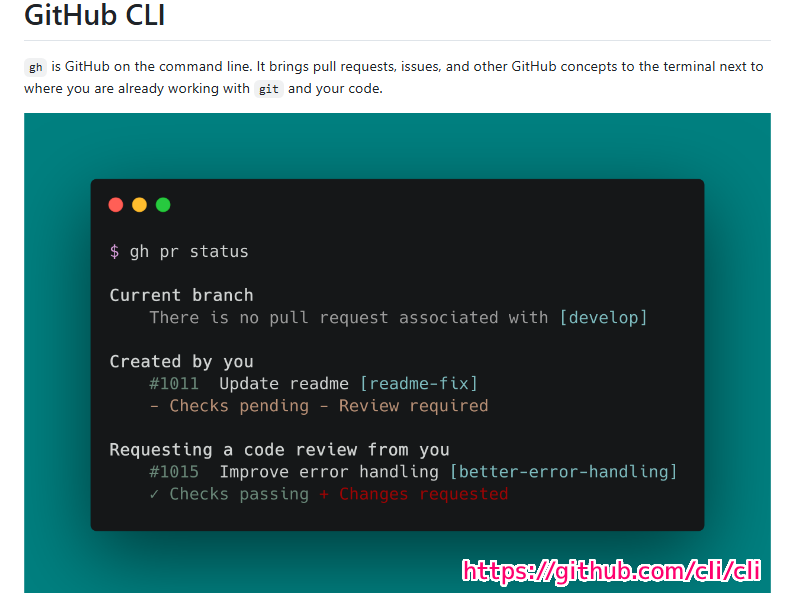
gh is GitHub on the command line. It brings pull requests, issues, and other GitHub concepts to the terminal next to where you are already working with git and your code.
GitHub CLI is supported for users on GitHub.com, GitHub Enterprise Cloud, and GitHub Enterprise Server 2.20+ with support for macOS, Windows, and Linux.
GitHub CLI は、GitHub.com、GitHub Enterprise Cloud、および GitHub Enterprise Server 2.20 以降のユーザーに対してサポートされており、macOS、Windows、および Linux をサポートしています。
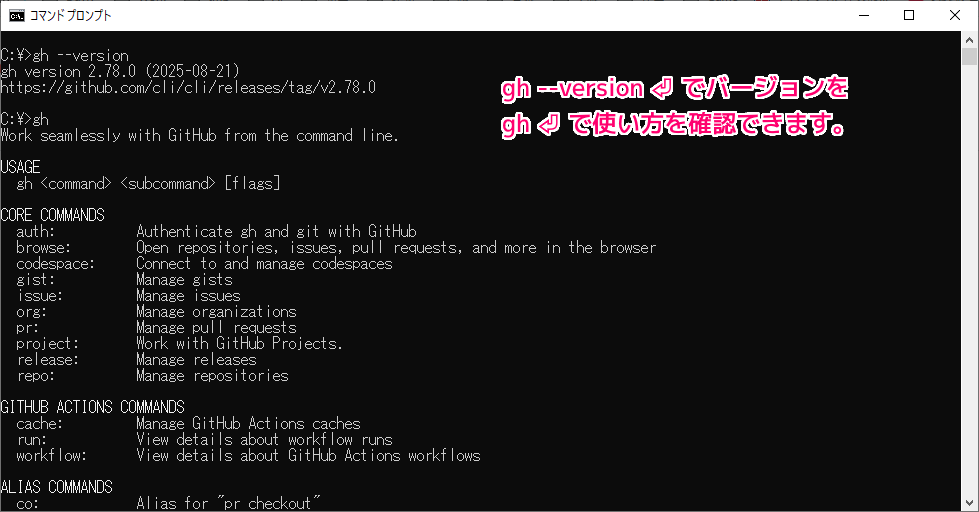
C:\>gh
Work seamlessly with GitHub from the command line.
USAGE
gh <command> <subcommand> [flags]
CORE COMMANDS
auth: Authenticate gh and git with GitHub
browse: Open repositories, issues, pull requests, and more in the browser
codespace: Connect to and manage codespaces
gist: Manage gists
issue: Manage issues
org: Manage organizations
pr: Manage pull requests
project: Work with GitHub Projects.
release: Manage releases
repo: Manage repositories
GITHUB ACTIONS COMMANDS
cache: Manage GitHub Actions caches
run: View details about workflow runs
workflow: View details about GitHub Actions workflows
ALIAS COMMANDS
co: Alias for "pr checkout"
ADDITIONAL COMMANDS
alias: Create command shortcuts
api: Make an authenticated GitHub API request
attestation: Work with artifact attestations
completion: Generate shell completion scripts
config: Manage configuration for gh
extension: Manage gh extensions
gpg-key: Manage GPG keys
label: Manage labels
preview: Execute previews for gh features
ruleset: View info about repo rulesets
search: Search for repositories, issues, and pull requests
secret: Manage GitHub secrets
ssh-key: Manage SSH keys
status: Print information about relevant issues, pull requests, and notifications across repositories
variable: Manage GitHub Actions variables
HELP TOPICS
accessibility: Learn about GitHub CLI's accessibility experiences
actions: Learn about working with GitHub Actions
environment: Environment variables that can be used with gh
exit-codes: Exit codes used by gh
formatting: Formatting options for JSON data exported from gh
mintty: Information about using gh with MinTTY
reference: A comprehensive reference of all gh commands
FLAGS
--help Show help for command
--version Show gh version
EXAMPLES
$ gh issue create
$ gh repo clone cli/cli
$ gh pr checkout 321
LEARN MORE
Use `gh <command> <subcommand> --help` for more information about a command.
Read the manual at https://cli.github.com/manual
Learn about exit codes using `gh help exit-codes`
Learn about accessibility experiences using `gh help accessibility`
C:\>


 github.com
C:\>gh
Work seamlessly with GitHub from the command line.
USAGE
gh <command> <subcommand> [flags]
CORE COMMANDS
auth: Authenticate gh and git with GitHub
browse: Open repositories, issues, pull requests, and more in the browser
codespace: Connect to and manage codespaces
gist: Manage gists
issue: Manage issues
org: Manage organizations
pr: Manage pull requests
project: Work with GitHub Projects.
release: Manage releases
repo: Manage repositories
GITHUB ACTIONS COMMANDS
cache: Manage GitHub Actions caches
run: View details about workflow runs
workflow: View details about GitHub Actions workflows
ALIAS COMMANDS
co: Alias for "pr checkout"
ADDITIONAL COMMANDS
alias: Create command shortcuts
api: Make an authenticated GitHub API request
attestation: Work with artifact attestations
completion: Generate shell completion scripts
config: Manage configuration for gh
extension: Manage gh extensions
gpg-key: Manage GPG keys
label: Manage labels
preview: Execute previews for gh features
ruleset: View info about repo rulesets
search: Search for repositories, issues, and pull requests
secret: Manage GitHub secrets
ssh-key: Manage SSH keys
status: Print information about relevant issues, pull requests, and notifications across repositories
variable: Manage GitHub Actions variables
HELP TOPICS
accessibility: Learn about GitHub CLI's accessibility experiences
actions: Learn about working with GitHub Actions
environment: Environment variables that can be used with gh
exit-codes: Exit codes used by gh
formatting: Formatting options for JSON data exported from gh
mintty: Information about using gh with MinTTY
reference: A comprehensive reference of all gh commands
FLAGS
--help Show help for command
--version Show gh version
EXAMPLES
$ gh issue create
$ gh repo clone cli/cli
$ gh pr checkout 321
LEARN MORE
Use `gh <command> <subcommand> --help` for more information about a command.
Read the manual at https://cli.github.com/manual
Learn about exit codes using `gh help exit-codes`
Learn about accessibility experiences using `gh help accessibility`
C:\>
github.com
C:\>gh
Work seamlessly with GitHub from the command line.
USAGE
gh <command> <subcommand> [flags]
CORE COMMANDS
auth: Authenticate gh and git with GitHub
browse: Open repositories, issues, pull requests, and more in the browser
codespace: Connect to and manage codespaces
gist: Manage gists
issue: Manage issues
org: Manage organizations
pr: Manage pull requests
project: Work with GitHub Projects.
release: Manage releases
repo: Manage repositories
GITHUB ACTIONS COMMANDS
cache: Manage GitHub Actions caches
run: View details about workflow runs
workflow: View details about GitHub Actions workflows
ALIAS COMMANDS
co: Alias for "pr checkout"
ADDITIONAL COMMANDS
alias: Create command shortcuts
api: Make an authenticated GitHub API request
attestation: Work with artifact attestations
completion: Generate shell completion scripts
config: Manage configuration for gh
extension: Manage gh extensions
gpg-key: Manage GPG keys
label: Manage labels
preview: Execute previews for gh features
ruleset: View info about repo rulesets
search: Search for repositories, issues, and pull requests
secret: Manage GitHub secrets
ssh-key: Manage SSH keys
status: Print information about relevant issues, pull requests, and notifications across repositories
variable: Manage GitHub Actions variables
HELP TOPICS
accessibility: Learn about GitHub CLI's accessibility experiences
actions: Learn about working with GitHub Actions
environment: Environment variables that can be used with gh
exit-codes: Exit codes used by gh
formatting: Formatting options for JSON data exported from gh
mintty: Information about using gh with MinTTY
reference: A comprehensive reference of all gh commands
FLAGS
--help Show help for command
--version Show gh version
EXAMPLES
$ gh issue create
$ gh repo clone cli/cli
$ gh pr checkout 321
LEARN MORE
Use `gh <command> <subcommand> --help` for more information about a command.
Read the manual at https://cli.github.com/manual
Learn about exit codes using `gh help exit-codes`
Learn about accessibility experiences using `gh help accessibility`
C:\>


コメント